TraqNext

Automatic Time Tracking Software for Remote & In-Office Teams

TraqNext is an automatic time tracking software that records every work hour online and offline, detects idle time, and syncs data instantly — so no work goes unaccounted for, no matter where your team works.
Explore today - full access, no credit card required!
image

Real-Time and Accurate Tracking

TraqNext automatic time tracking software delivers precise, real-time insights into how employees spend their workday. By automatically recording work hours both online and offline, it ensures no work goes unaccounted for — even during network interruptions. Offline time tracking data syncs the moment connectivity is restored.
image

Easy Start/Stop Functionality with break recording

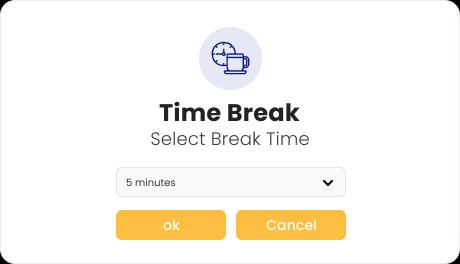
Employees can easily start, pause, or stop their timers to reflect breaks or task switches, allowing flexibility.
image

Idle Time Detection

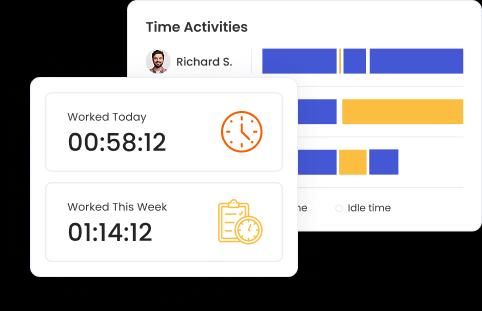
TraqNext Idle Time Detection feature helps you gain a deeper understanding of how time is spent by automatically identifying and tracking periods of inactivity during work hours. The system detects when there is no keyboard or mouse activity for a specified period and categorizes that time as idle. Idle time is logged and included in detailed reports, giving managers the ability to pinpoint unproductive gaps and take action to minimize wasted time.

Hero banner

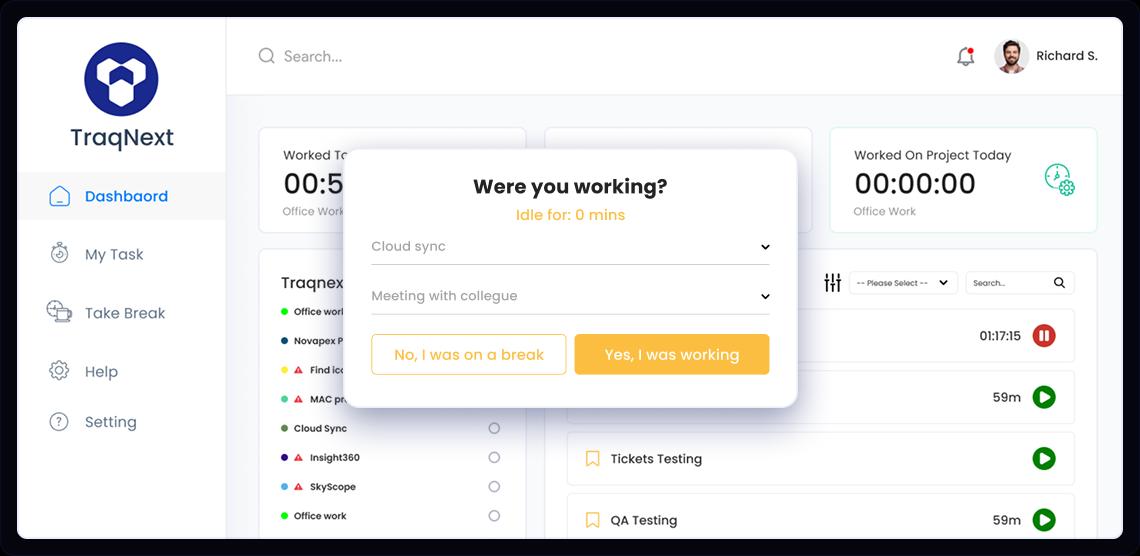
For more realistic time tracking and mapping, TraqNext stops tracking after a certain period of inactivity and asks the employee whether they are working or on a break. Tracking starts again only after the employee’s consent.

Work-Life Balance

Work-life balance monitoring in TraqNext is designed to help employees and businesses foster a healthy separation between work and personal life. Withbuilt-in alerts for excessive work hours or irregular patterns, TraqNext encourages employees to take necessary breaks and adhere to healthy work schedules. Managers can view detailed reports on overtime and work habits, ensuring that workloads are evenly distributed, and that no employee is overburdened, helping to avoid burnout and dissatisfaction.
image

Add & Edit Timeline

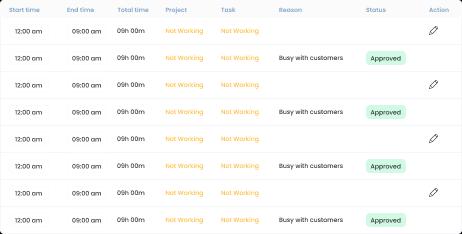
Working in an organization is not only about sitting in front of your desk, but it also involves several other activities, such as a team meeting, a client calls or helping other colleagues. Employees may forget to track their time or may have tracked it against the wrong task. To address this situation, TraqNext allows employees to add the missed work time of the day. However, approval is required from their managers. When managers receive the approval request, they can see the details of each time it was added or edited and can accept or reject the approval request.
image

Proof of work

TraqNext works as proof of work software by tracking exact hours per task, capturing admin-controlled screenshots, calculating billable hours, and presenting actual project costing — giving clients full confidence in your work records. All this information increases your client trust by providing proof of work.
image

Payroll Integration

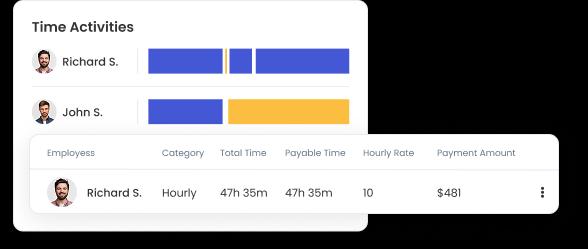
Time tracking data integrates seamlessly with TraqNext Payroll feature, ensuring accurate billing and simplifying invoicing for billable projects.
image

Project & task management

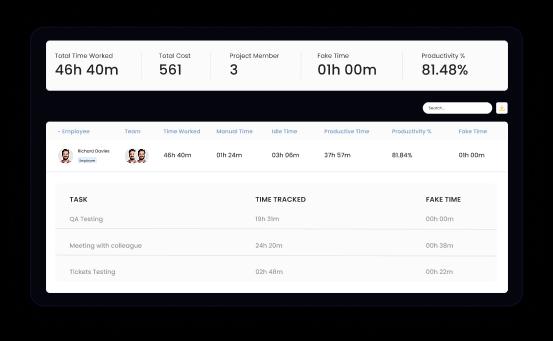
With TraqNext you can consistently track accurate time spent on individual projects and tasks, this provides a clear breakdown of the effort put into each task, the overall cost of the project, website and app used and the overall productivity achieved in each project.

This helps managers to monitor the project's progress, costs, and spot bottlenecks, and make informed decisions on resource and budget allocation to improve team performance and enhance accountability.
image

Works On All Your Devices

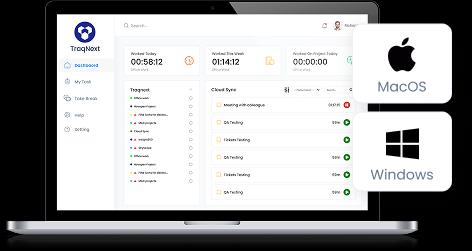
Most organizations work on workstations running MacOS or Windows, TraqNext works on both. You can download the TraqNext Installer on your desktop devices and start tracking your working hours instantly. For MacOS, you need to assign a few permissions to allow TraqNext to work properly. TraqNext will ask for these permissions when required.
image

Frequently Asked Questions

Get started today

Keep your teams efficient while ensuring privacy and compliance, with help just a click away.
Explore today - full access, no credit card required!